Description
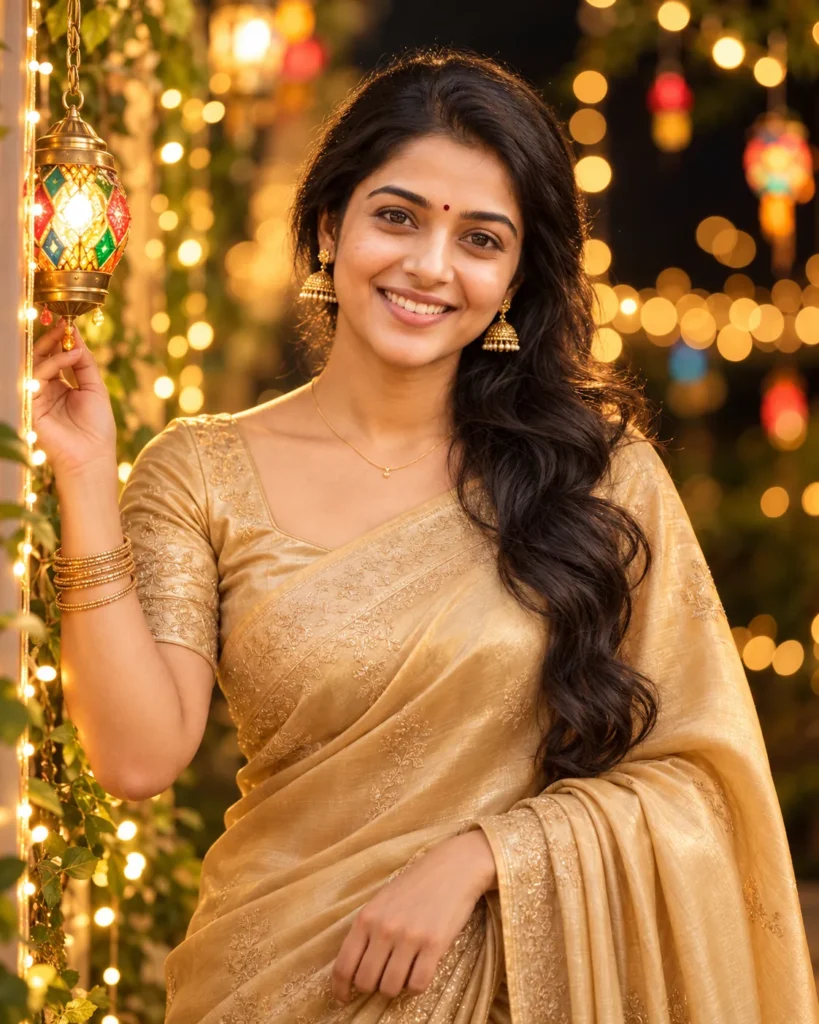
This gold satin saree portrait prompt is designed for image-to-image generation. It creates a warm night garden setting lit by hanging lanterns and soft columns of fairy lights.
The prompt retains your uploaded reference photo facial structure, skin tone, and hairstyle. It dresses the subject in a champagne-gold satin saree with subtle tonal embroidery, paired with gold jhumka earrings and an 85mm f/1.8 shallow depth of field.
Customization tips:
- Saree Color: Swap
champagne-gold satinwithemerald green silk, royal blue velvet, or ruby red georgette. - Lantern Style: Replace
colorful hanging lanternswithbrass Moroccan lamps or paper lanterns. - Aspect Ratio: Use 4:5 for standard portrait frames or 9:16 for full-screen phone wallpapers.
- Recommended Tools: ChatGPT and Gemini.
Copy This Gold Satin Saree Portrait Prompt
A photorealistic portrait of the woman from the uploaded reference photo. Preserve her exact face, skin tone, and body proportions. She wears a champagne-gold satin saree with subtle tonal embroidery, a matching blouse, gold jhumka earrings, stacked bangles, and a small maroon bindi. Her long, wavy hair falls over her left shoulder. She stands in a night garden beside a slender column of warm golden fairy lights, one hand gently touching a colourful hanging lantern, the other hand relaxed at her side. She smiles warmly and looks into the camera, head tilted slightly. Behind her, golden fairy lights form layers of soft, round bokeh against a deep black background, with a few small colourful hanging lights mixed in. Warm light falls evenly on her face, with amber highlights on the satin and deep shadows around the edges. Golden colour grade, realistic skin texture, visible detail in the jewellery and embroidery. 85mm lens, f/1.8, her eyes, face, and the lantern in sharp focus. Natural hands, correct anatomy, no text or logos, no distorted features.
How to Use This Prompt:
- Upload Your Reference Image: First, upload the photo of the person. By doing so, you allow this prompt to strongly preserve the facial structure, proportions, and hairstyle from your reference image.
- Copy & Paste the Prompt: Once you have attached the image, paste the full prompt text into the ChatGPT message box. Then, hit enter to generate your scene.