Description
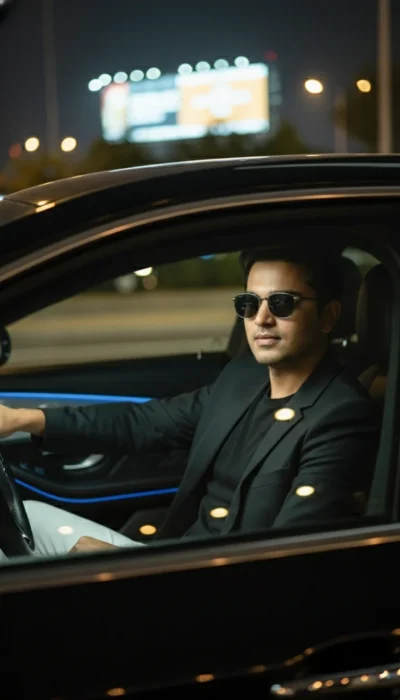
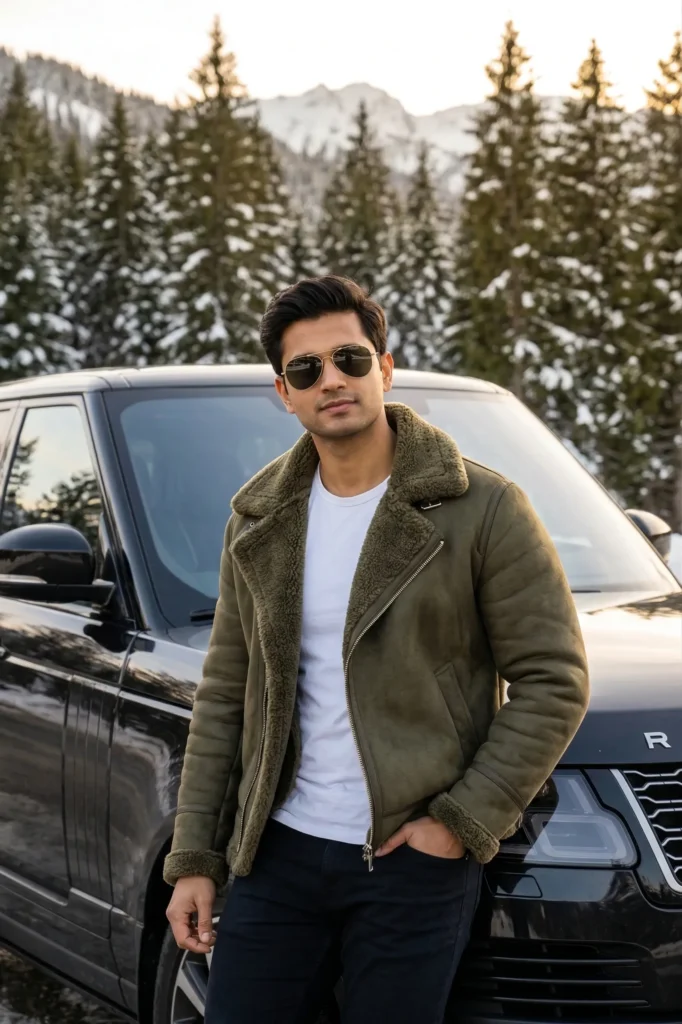
This Range Rover portrait prompt generates a hyper-realistic image of a man leaning casually against a black luxury SUV in a snowy mountain forest. The subject’s face stays exactly true to the reference. Every bone structure, feature, and natural imperfection remains intact to create a believable likeness. His posture looks confident yet effortless. One shoulder rests lightly on the vehicle while one hand sits in his jacket pocket. As a result, the overall mood feels grounded, modern, and quietly powerful.
The visual style blends cinematic quality with a candid smartphone feel. As a result, the image appears polished but still natural. Authentic skin texture is visible, including subtle pores and grooming details. Fabric folds and movement also behave realistically. The outfit creates a strong and masculine palette. An olive green shearling jacket sits over a plain white T-shirt and dark pants. Together, these colors complement the black Range Rover and the cool tones of the snowy forest. Classic aviator sunglasses add a subtle touch of style without overpowering the scene.
Lighting plays an important role in the final image. Warm late-afternoon daylight creates a soft and directional glow. The light falls gently across the subject’s face and jacket, highlighting the depth of the shearling texture and the natural contours of his features.
At the same time, realistic reflections and highlights appear on the SUV’s surface. Soft shadows anchor the subject naturally to the environment. A moderate depth of field keeps the man and the car in sharp focus, while evergreen trees and snow remain softly blurred in the background.
Best Uses for This Portrait Prompt
This portrait style works well for several creative uses. For example, it fits lifestyle or automotive branding that blends rugged nature with urban luxury. It also performs well as a hero image or thumbnail for content about men’s winter fashion, mountain road trips, or luxury SUVs. In addition, the prompt can serve as a strong portfolio example. AI artists and photographers can use it to showcase hyper-real portrait work set in natural environments with premium vehicles.
Gemini Prompt – Hyper-real Range Rover Portrait
Create a hyper-realistic portrait of a man using the uploaded image as the ONLY facial and identity reference. Preserve the subject’s exact facial structure and real-life likeness with high accuracy: identical bone structure, jawline width and definition, chin shape, cheekbone prominence, eye size and spacing, eyelid shape, eyebrow thickness and angle, nose bridge and tip structure, nostril width, lip thickness and mouth width, natural skin tone and texture, facial symmetry, and authentic grooming details. Do not beautify, stylize, or alter the features. Maintain realistic skin texture and natural imperfections.
The man leans casually against a black luxury Range Rover SUV with tinted windows. One shoulder rests lightly on the vehicle. One hand is relaxed inside the jacket pocket. The posture is confident but effortless.
He wears an olive green shearling jacket over a plain white T-shirt and dark pants. Classic aviator sunglasses complete the look.
The scene is set in a mountainous forest landscape. Evergreen trees fill the background and light snow covers the ground. The black Range Rover is parked naturally within the environment.
Warm late-afternoon daylight illuminates the scene. Soft natural light falls across the face and highlights the shearling texture of the jacket. Realistic shadows and detailed reflections appear on the SUV surface.
The style is hyper-realistic and cinematic but grounded in a candid iPhone photography aesthetic. Natural colors. Authentic textures. Moderate depth of field with a softly blurred background.
Shot on a modern smartphone camera. Eye-level framing. Slightly compressed perspective. Crisp focus on the subject with natural environmental context.
How to Use This Prompt:
- Upload Your Reference Image: First, upload the photo of the person. By doing so, you allow this prompt to strongly preserve the facial structure, proportions, and hairstyle from your reference image.
- Copy & Paste the Prompt: Once you have attached the image, paste the full prompt text into the message box. Then, hit enter to generate your scene.