Description
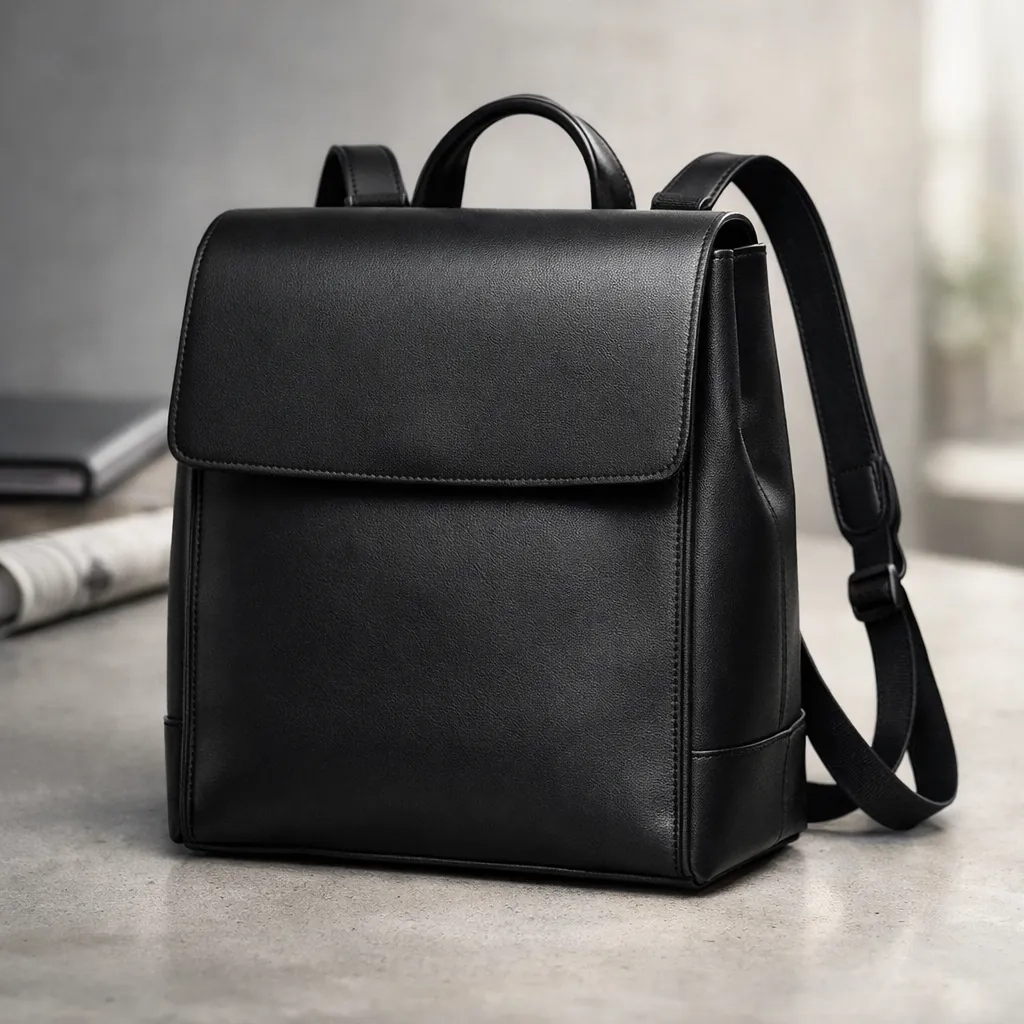
This minimalist black leather backpack image puts clean design and fine craftsmanship at center stage. The minimalist black leather backpack appears in a structured, boxy silhouette that feels modern and confident. A prominent flap closure defines the front, while slim, adjustable straps hint at comfort and practicality without breaking the sleek lines. The overall form looks carefully engineered, ideal for someone who likes order and clarity in their everyday carry.
The visual style is refined product photography with a focus on material and shape. You clearly see the smooth leather surface, gentle sheen, and subtle grain that signal quality. Edges, seams, and stitching read crisp and precise, emphasizing construction and durability. The 4:5 framing keeps the backpack tall and slightly dominant in the composition, which suits both listings and lifestyle layouts.
Natural, soft lighting wraps around the leather, creating gentle highlights along the flap and edges. Shadows stay controlled and light, adding depth without hiding details. This lighting choice keeps the tone elegant and understated rather than flashy, matching the minimalist aesthetic.
This image is perfect for e-commerce product pages where buyers want a clear view of design and texture. It also works well for social media campaigns or lookbooks that showcase versatile bags for both office and weekend use. Brands, designers, and AI artists can use it as a reference for minimalist leather product shots, boxy backpack silhouettes, and lighting that highlights craftsmanship over logos.
PROMPT (Minimalist black leather backpack):
Generate a high-quality image of a minimalist black leather backpack featuring a structured, boxy design. The backpack should have a prominent flap closure and adjustable straps, emphasizing clean lines and a sleek, modern aesthetic. The setting should reflect versatility, suitable for both professional work environments and casual outings, highlighting the backpack’s stylish yet functional appeal. The overall tone should be elegant and understated, focusing on the backpack’s craftsmanship and material texture. Aspect ratio 4:5.
How to Use This Prompt:
- Open the image tool in ChatGPT: In the ChatGPT interface, make sure you’re on a model that supports image generation (for most users this is labeled something like “Create image” or available under a Tools menu).
- Select the option to create a new image so you get a text box specifically for an image prompt.
- Copy & Paste the Prompt: Paste the full prompt text into the prompt box and click on submit.