Description
This mountain forest portrait prompt generates a calm outdoor scene from any reference photo. You can easily recreate the exact look of your subject in a fresh setting. The result is a relaxed image that highlights the person beautifully.
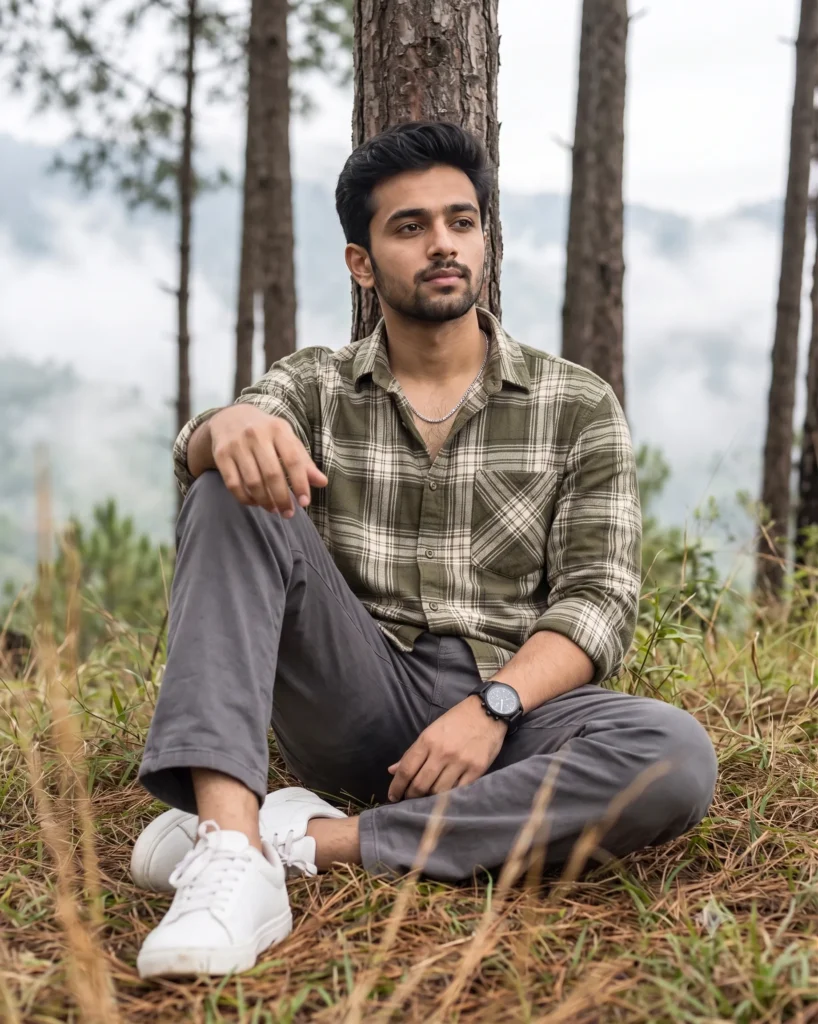
The image features a cool and refreshing outdoor mood. Soft daylight filters through the trees to create a gentle glow around the subject. The background fades smoothly into a misty layer of tall pine trees. This gives the picture a cozy woodland atmosphere without any harsh shadows.
Use this prompt for:
- Personal lifestyle and outdoor blog photos
- Men’s casual fashion and apparel showcases
- Engaging profile pictures for social media
This relaxed aesthetic brings a quiet and grounded energy to your visual content. Copy the text today and test it with your own reference images.
Relaxed Men’s Portrait in a Misty Pine Forest
Generate a full-length portrait of the man from the reference photo. Preserve the exact facial identity, facial structure, facial proportions, body proportions, physique, height, skin tone, age, and all distinctive physical characteristics of the subject. He is sitting on a soft bed of crisp pine foliage and wild mountain grass on a gentle woodland slope, leaning his back against a slender pine tree trunk. One leg is bent up, with his hand resting casually on his knee. He wears an olive-green and cream plaid oversized flannel shirt with rolled sleeves, relaxed-fit charcoal-grey chinos, a delicate silver box chain, a matte-black chronograph watch, and clean white leather sneakers. Side-angle, eye-level shot, with the subject looking into the distance with a calm, confident expression. Soft overcast mountain daylight, cool atmospheric color grading with desaturated moss-greens and muted earth tones, with blurred dry pine grass in the foreground. The soft-focus, misty background features tall pine trunks fading into rolling valley fog. Shot on an 85mm portrait lens at f/2.0, with a shallow depth of field, smooth bokeh, and sharp focus on the subject.
How to Use This Prompt:
- Upload Your Reference Image: First, upload the photo of the person. By doing so, you allow this prompt to strongly preserve the facial structure, proportions, and hairstyle from your reference image.
- Copy & Paste the Prompt: Once you have attached the image, paste the full prompt text into the Gemini message box. Then, hit enter to generate your scene.