Description
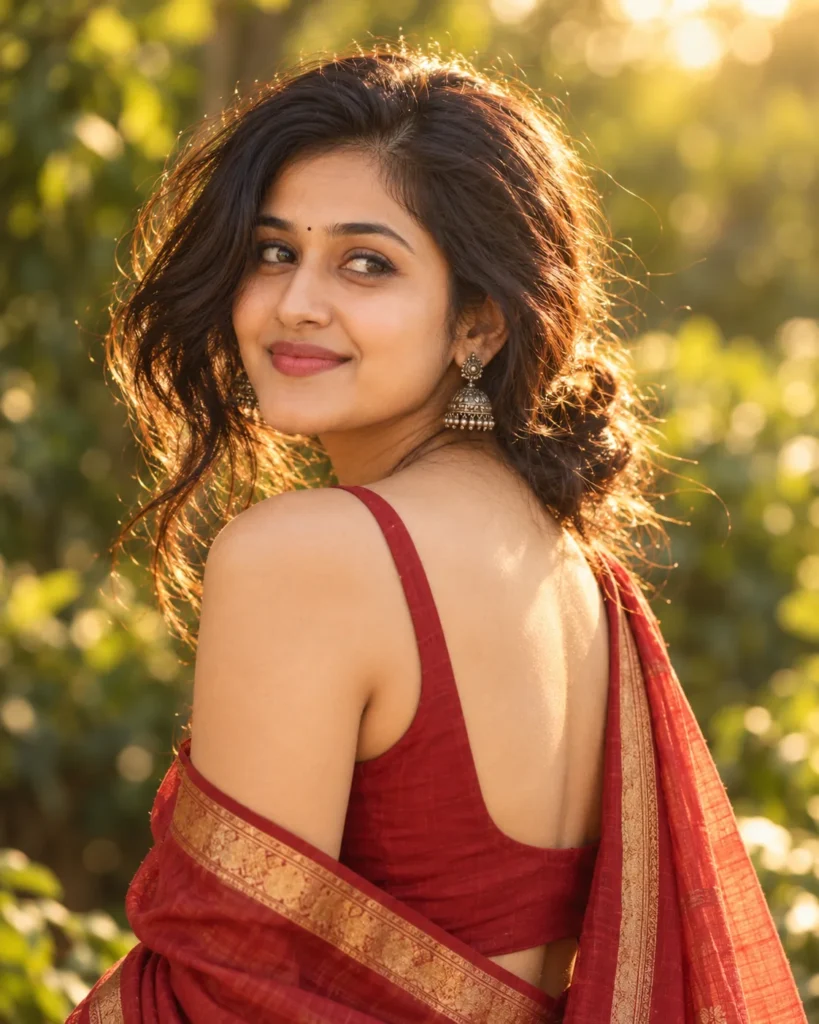
This red saree portrait prompt creates a graceful, warm outdoor portrait filled with classic elegance. It preserves your exact facial features, skin tone, hair texture, and natural smile directly from your reference photo. In addition, the prompt guides the AI to frame an over-the-shoulder pose naturally rather than pasting a flat digital cutout. As a result, you get an authentic portrait with lifelike fabric drape and believable depth.
The visual appeal comes from soft outdoors in golden hour sunlight that sculpts your profile with warm highlights. A subtle rim light traces the hair and bare shoulder, creating natural separation from the background foliage. The 85mm portrait lens setting melts leaves into creamy bokeh while keeping the eyes in crisp focus. In addition, antique silver jhumkas and a deep red sleeveless blouse with an elegant low back bring timeless traditional contrast to the scene.
Try changing these simple details to make the scene your own:
- Wardrobe Styling: Swap “deep red sleeveless blouse” with “emerald green silk saree blouse” or “mustard yellow halter top” to test different festive colors.
- Jewelry & Accents: Replace “antique silver jhumka earrings” with “gold temple jewelry” or “delicate pearl drop earrings” to adjust your accessories.
- Camera Angle: Change “medium-close portrait” to “tight close-up profile” or “waist-up standing view” to reframe your pose.
For the best result, choose a reference photo where your face is evenly illuminated by soft daylight. In particular, avoid pictures with heavy shadows, dark sunglasses, or beauty filters that hide skin texture. Copy this red saree portrait prompt below, test it with your picture in your favorite AI tool, and see your new look come together.
Copy This Red Saree Portrait Prompt
Generate a medium-close portrait of the young woman from the reference photo. Preserve her exact face, features, skin tone, and hair color and texture, with her face clearly visible and detailed. Vertical framing from the head to the mid-back, camera at eye level, with her face placed off-center following the rule of thirds.
She turns her back and shoulder toward the camera in a flattering three-quarter back pose, with her head turned back over her shoulder so her face is fully visible. She has a warm, genuine smile and soft eye contact with the lens. Keep her hairstyle from the reference, gathered loosely at the nape with gentle flyaways. She wears a small red bindi, antique silver jhumka earrings, and a deep red sleeveless blouse with an elegant low back, paired with a soft red silk saree with a narrow gold border, the pallu draped neatly over her left shoulder so the blouse back stays visible. Her makeup is natural, and her skin shows fine texture and a healthy glow.
The setting is outdoors in golden hour light, with a subtle rim light on her hair and shoulder, soft shadows, and warm skin tones. The background is blurred green foliage melting into creamy bokeh.
Cinematic color grading with gentle film grain. 85mm lens, f/2.2, sharp focus on her eyes. Photorealistic. Natural hands, correct anatomy, no text or logos, no distorted features. Aspect ratio 4:5.
How to Use This Prompt:
- Upload Your Reference Image: First, upload the photo of the person. By doing so, you allow this prompt to strongly preserve the facial structure, proportions, and hairstyle from your reference image.
- Copy & Paste the Prompt: Once you have attached the image, paste the full prompt text into the ChatGPT message box. Then, hit enter to generate your scene.