Description
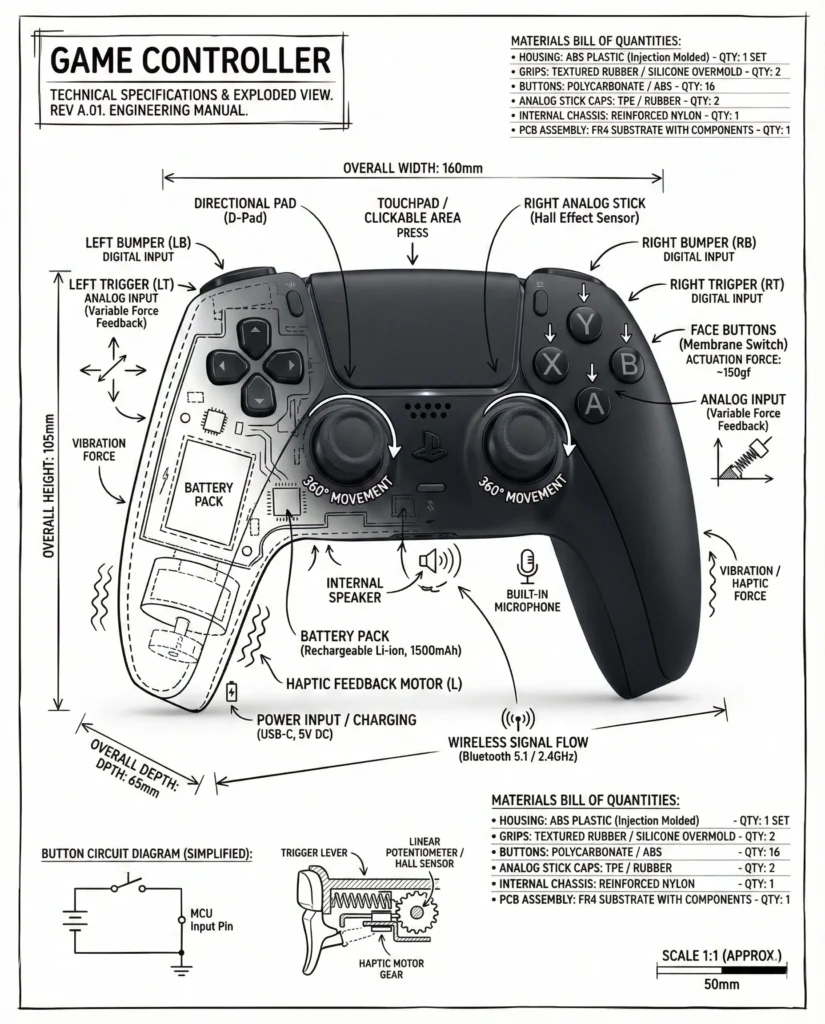
This technical infographic object illustration turns a simple product or device into a clear, educational visual story. A realistic photograph or photoreal render of the object sits at the center on a pure white studio background. Black ink-style annotations layer on top in a way that feels like a precise architectural sketch. The object stays fully visible beneath the markings, so form and function read together at a glance.
The visual style is minimal, monochrome, and highly organized. Thin and thick black lines label key components, outline internal cutaways, and highlight exploded-view sections. Measurements, dimensions, and scale markers accompany the parts, while small material callouts and quantities give engineering-level clarity. Arrows indicate direction of force, airflow, power, or pressure, and small schematic sections appear where needed. A hand-drawn technical box in one corner holds the object title, which completes the blueprint-like presentation.
Lighting is clean and even, typical of professional product photography. There are no dramatic shadows, which keeps every edge easy to read. The annotations feel slightly hand-drawn, with subtle wobble and pen character, but remain precise enough for instructional use. The overall composition balances white space and information density, creating a museum-exhibit or engineering-manual vibe.
This image is perfect for product manuals, installation guides, and training documents where visual clarity reduces confusion. It works well for marketing one-pagers and landing pages that need to quickly explain how a device works without heavy text. Designers can also use this technical infographic object illustration in presentations, museum displays, and STEM educational materials to make complex objects more understandable and visually engaging.
PROMPT (Technical infographic object illustration):
“Create an infographic image of [OBJECT], combining a realistic photograph or photoreal render of the object with technical annotation overlays placed directly on top. Use black ink–style line drawings and text (technical pen / architectural sketch look) on a pure white studio background, including:
Key component labels, Internal cutaway or exploded-view outlines, Measurements, dimensions, and scale markers, Material callouts and quantities, Arrows indicating function, force, or flow (air, sound, power, pressure), Simple schematic or sectional diagrams where relevant.Place the title [OBJECT] inside a hand-drawn technical annotation box in one corner.
Style & layout rules: The real object remains clearly visible beneath the annotations, Annotations feel sketched, technical, and architectural, Clean composition with balanced negative space, Educational and museum-exhibit / engineering-manual vibe.
Visual style: Minimal technical illustration aesthetic, black linework over realistic imagery, precise but slightly hand-drawn feel.
Color palette: White background, black annotation lines and text only. No colors.
How to Use the Prompt:
- Copy the prompt: Select the entire prompt text provided on this page.
- Paste it into an AI image generator: Works with tools like ChatGPT, Midjourney, or any model that accepts text prompts.