Description
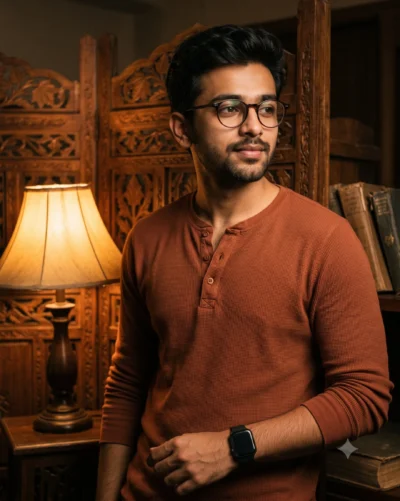
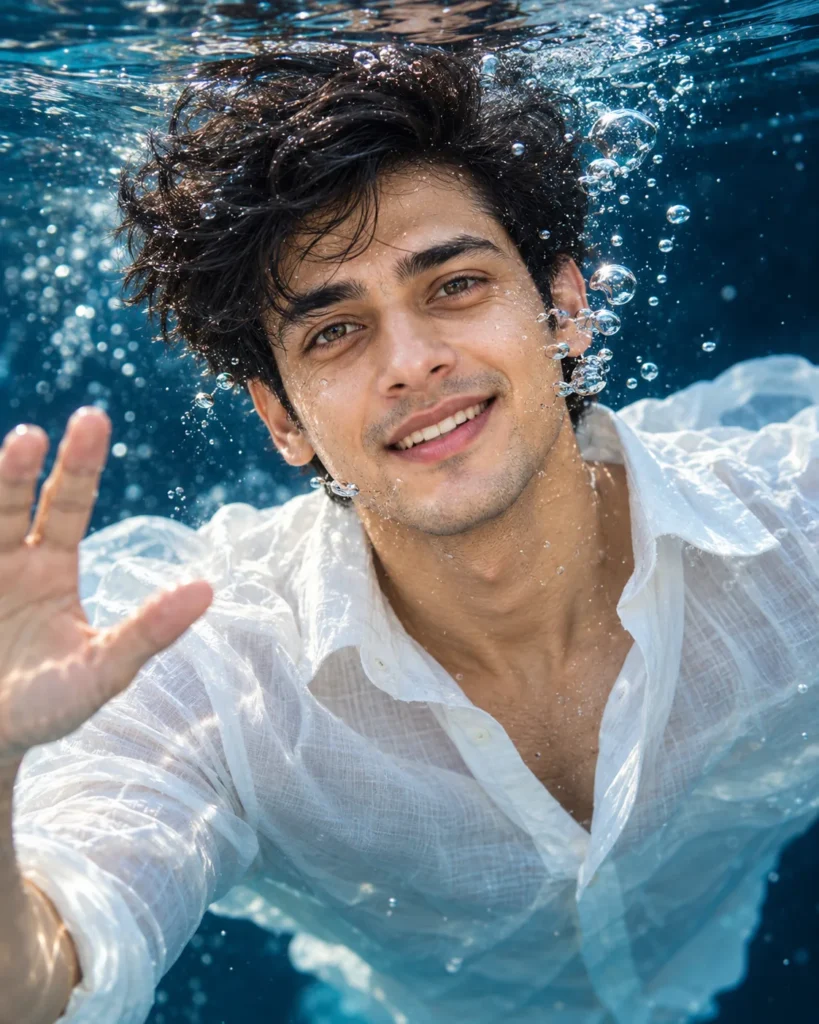
This underwater portrait prompt creates a joyful, high-energy photo that feels natural and immersive. It preserves your exact facial features, skin tone, and body proportions directly from your reference photo. In addition, the prompt guides the AI to position your likeness smoothly just beneath the water’s surface instead of pasting a flat cutout. As a result, you get a lively portrait with realistic water reflections and genuine expressions.
The visual appeal comes from cool cinematic blue lighting that fills the deep water with soft, diffused highlights. Streams of rising micro-bubbles and suspended water droplets frame your face with playful movement. In addition, the deep navy-blue background keeps distractions away, allowing your bright eyes and smile to stand out sharply. Natural skin tones balance smoothly against cool shadows, giving the overall composition clean photographic depth.
Try changing these simple details to make the image your own:
- Wardrobe: Swap “loose white linen button-up shirt” with “black swim rashguard” or “relaxed cotton t-shirt” to test different styles.
- Expression and Pose: Replace “cheerful wave” and “smiling widely” with “relaxed floating pose” for a calm mood.
- Water Environment: Change “deep dark navy-blue and teal underwater darkness” to “clear resort swimming pool” to switch the scene.
For the cleanest result, choose a clear photo where your face is evenly lit by natural daylight. Avoid pictures with dark sunglasses, busy shadows, or heavy filters that hide natural skin texture. Copy this underwater portrait prompt below, test it with your picture in your favorite AI tool, and see your new look come together.
Copy This Underwater Portrait Prompt
A hyper-realistic underwater portrait of a handsome young man, framed from the chest up so his face, shoulders and outfit are visible. Shot straight on at eye level, as if he is just beneath the water’s surface, looking directly into the camera with a joyful, playful gaze. He is smiling widely with teeth showing, laughing, with bright eyes and slightly raised cheeks. His head is tilted slightly to one side, and one hand is raised near the frame in a cheerful wave, with fingers softly blurred by the water.
Hair and face: short, messy, tousled modern men’s hairstyle in jet black, wet and scattered, with a few loose thin strands floating across his forehead. No long hair. Thick dark natural eyebrows, striking green-amber hazel eyes with golden rings around the pupils, long dark lashes, natural dusty-pink lips with a wet glossy sheen, pale skin with visible pores, light freckles, tiny blemishes and fine skin texture, light stubble, defined jawline. No jewelry.
Outfit: a loose white linen button-up shirt with the collar slightly open, the fabric floating and billowing softly around his shoulders and arms in the water, with natural folds and no print.
Details: tiny water droplets, air bubbles and micro-bubbles clinging to his skin, with a stream of larger bubbles escaping from his smile and drifting upward past his cheek. Tiny suspended particles in the water and wet reflective highlights on the nose, lips and cheeks.
Background: deep dark navy-blue and teal underwater darkness, soft blur at the edges and bottom, with a faint swirl of water on the left. Shallow depth of field with razor-sharp focus on the eyes. Cold cinematic blue underwater lighting with soft diffused highlights on the face, neutral and uplifting rather than moody. Natural skin tones against deep blue shadows. Ultra-detailed, hyper-realistic photography, high resolution.
How to Use This Prompt:
- Upload Your Reference Image: First, upload the photo of the person. By doing so, you allow this prompt to strongly preserve the facial structure, proportions, and hairstyle from your reference image.
- Copy & Paste the Prompt: Once you have attached the image, paste the full prompt text into the ChatGPT message box. Then, hit enter to generate your scene.