Description
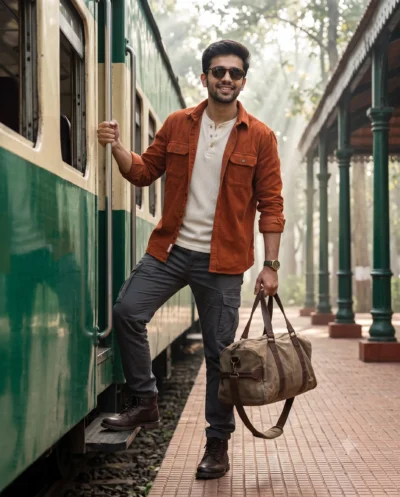
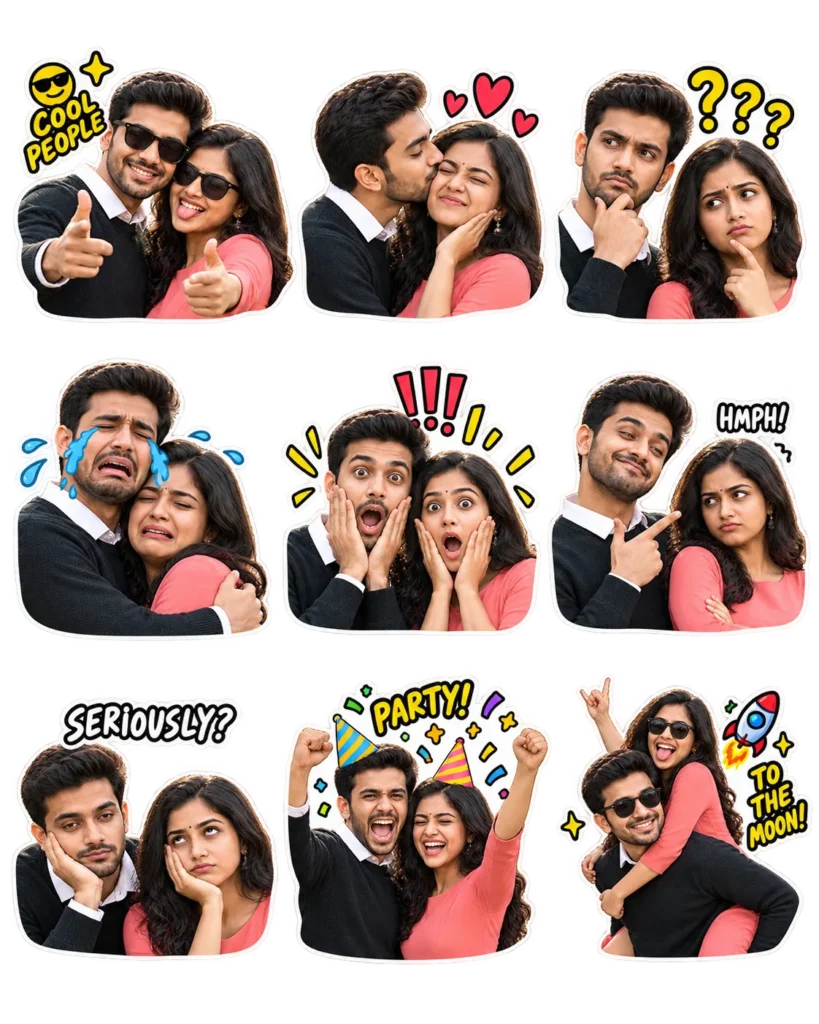
This meme sticker pack prompt turns any uploaded portrait into a full sheet of hilarious reaction graphics. You get a tidy 3×3 grid packed with classic internet humor. Each cutout highlights an exaggerated expression, ranging from shock and side-eye to deadpan disbelief. It gives creators a fast way to generate custom sticker assets from everyday photos.
The visual design uses low-fi paper cutout edges and bright cartoon energy. Clean transparent spacing keeps each reaction completely separated, so every graphic stands out on its own. Bold facial expressions capture pure comedy, blending popular emoji vibes with quirky poses. The finished look feels playful, raw, and ready for instant online sharing.
Use this ChatGPT prompt for:
- Custom reaction packs for Discord servers and Telegram channels
- Engaging social media memes for Instagram Stories and TikTok content
- Printable novelty sticker sheets for personal merchandise and gifts
The punchy cutout style delivers endless comic personality for any face you upload. Copy the prompt below and drop your favorite pictures in to see what funny stickers you get.
ChatGPT Prompt: Meme Reaction Sticker Pack Sheet
Create a Meme sticker pack based on the images attached, remixing with 😎😛💕🚀🥳. Use exaggerated internet-reaction expressions, including crying, confusion, shock, smugness, side-eye, and deadpan disbelief, with awkward poses, low-fi cutout textures, and absurd humor.
Create a single (4:5) transparent sticker sheet with nine distinct stickers arranged in a 3×3 grid, each showing a different expression, pose, or reaction. Separate the stickers with wide, fully transparent gaps. No background, shadows, or overlapping elements.
How to Use This Prompt:
- Upload Your Reference Image: First, upload the photo of the person. By doing so, you allow this prompt to strongly preserve the facial structure, proportions, and hairstyle from your reference image.
- Copy & Paste the Prompt: Once you have attached the image, paste the full prompt text into the ChatGPT message box. Then, hit enter to generate your scene.