Description
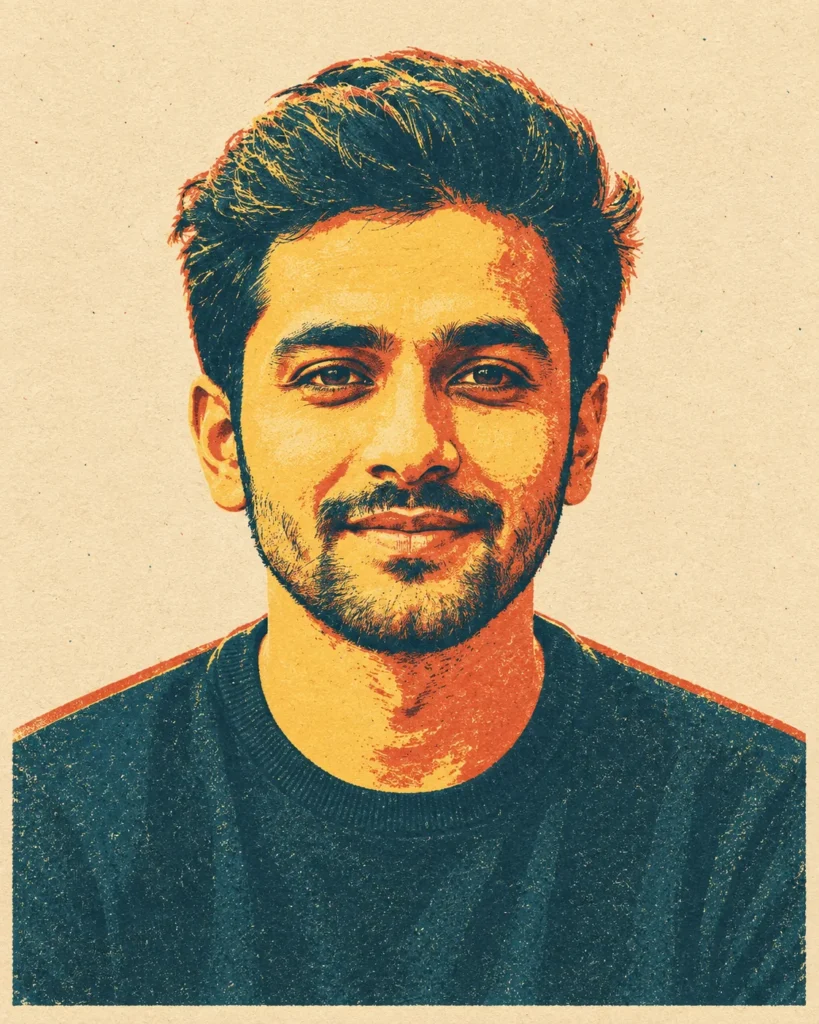
This vintage risograph portrait prompt instantly turns your reference photo into a striking retro artwork. It captures the essence of classic screen printing with clean lines and flat geometric shapes. You get a highly stylized and artistic result every time.
The final image features a minimal color palette of mustard yellow, dusty teal, and terracotta against a plain beige background. It looks exactly like it was printed on thick textured paper. You will even notice tiny imperfections like ink grain and slight color overlaps that give the artwork an authentic vintage feel.
Use this closeup portrait prompt for:
- Creative social media profile pictures
- Unique graphic design posters
- Personalized art prints
This mid-century aesthetic gives your subjects a clean and highly artistic look with bold negative space. Copy the prompt below and test it with your own reference images.
AI Prompt: Mid-Century Graphic Illustration Portrait
A vintage risograph screen-print version of the provided reference image. Recreate the subject from the image as a tightly framed, centered closeup portrait focusing from the shoulders up. Strictly preserve their exact facial structures, proportions, and identity from the reference. Render the portrait using a mid-century graphic illustration style with bold contour lines and flat geometric shapes, set against a stark, clean, solid beige background with generous negative space. Apply retro color blocking using a minimal palette of mustard yellow, dusty teal, and terracotta. The final image must look like it is printed on textured cardstock with slight ink misregistration and matte grain. Clean contours, minimal composition, strong visual clarity, negative-space illustration. Strictly avoid modern 3D rendering, gloss, gradients, or hyper-detailed photorealism. Aspect ratio 4:5.
How to Use This Prompt:
- Upload Your Reference Image: First, upload the photo of the person. By doing so, you allow this prompt to strongly preserve the facial structure, proportions, and hairstyle from your reference image.
- Copy & Paste the Prompt: Once you have attached the image, paste the full prompt text into the ChatGPT message box. Then, hit enter to generate your scene.