Description
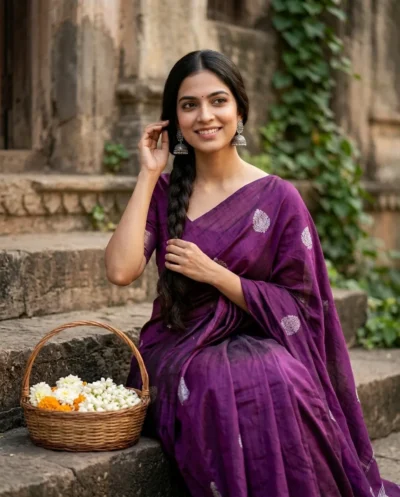
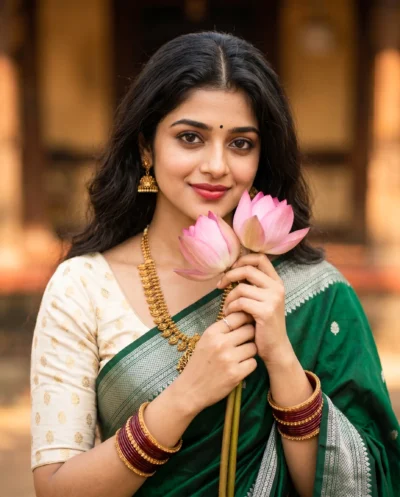
Create a highly detailed image using this olive green saree prompt. You can easily generate a beautiful portrait of a woman wearing an elegant outfit with delicate pink floral embroidery. The result looks incredibly natural and captures a calm, welcoming expression.
The image features soft and flattering light that mimics a bright window on a sunny day. The creamy background melts into a smooth blur, making the woman stand out clearly. Warm colors and a natural makeup look give the final picture a high-quality finish without needing any photography skills.
This South Asian woman saree prompt is perfect for:
- Profile pictures for professional networking platforms.
- Editorial illustrations for digital fashion blogs.
- Reference images for digital artists and painters.
This aesthetic delivers a rich blend of cultural authenticity and modern portrait styling. Copy the prompt below and test it with your own reference images to see the stunning results instantly.
Gemini Prompt: Photorealistic Olive-Green Saree Portrait
Elegant South Asian woman in a classic olive-green saree with intricate pink floral embroidery, wearing a delicate double-strand pearl necklace, small black bindi, subtle nose stud, soft winged eyeliner, and natural dewy makeup. Preserve her exact facial identity, facial structure, facial proportions, skin tone, age, hairstyle, and all distinctive facial characteristics consistently. Long voluminous wavy black hair cascading over one shoulder, three-quarter profile portrait with a gentle, confident smile and calm, welcoming expression. Natural window light from camera-left creating delicate rim lighting and flattering fill, creamy neutral background with strong shallow depth of field and smooth bokeh. Cinematic high-resolution photorealism, 85mm portrait lens feel, wide aperture (f/1.4–f/1.8) for creamy background blur, sharply focused eyes with natural catchlights, natural warm color grading, gentle contrast and clarity, studio-quality, maintaining natural tones and cultural authenticity.
How to Use This Prompt:
- Upload Your Reference Image: First, upload the photo of the person. By doing so, you allow this prompt to strongly preserve the facial structure, proportions, and hairstyle from your reference image.
- Copy & Paste the Prompt: Once you have attached the image, paste the full prompt text into the Gemini message box. Then, hit enter to generate your scene.