
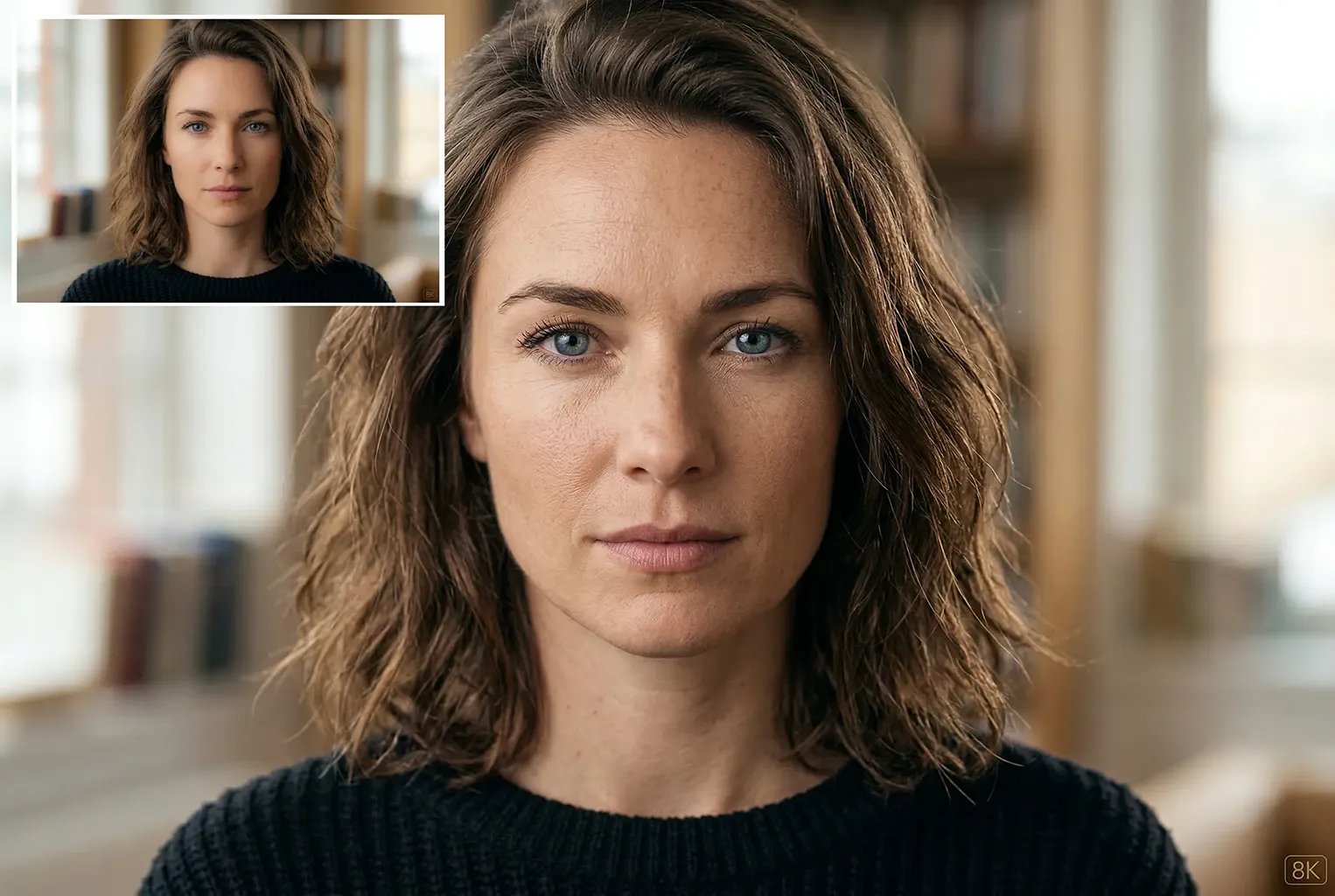
This Gemini image upscaling prompt helps you upscale portraits without losing identity or realism. It preserves the original image while improving detail, lighting, and camera quality.
The prompt tells Gemini to treat the original image as a strict reference. It keeps the face structure, pose, and composition exactly the same. At the same time, it enhances skin texture, lighting, and camera quality to achieve DSLR-level realism.
This approach works especially well for portraits, profile photos, and AI-generated images that need higher resolution.
What This Prompt Does
This prompt focuses on three main improvements.
First, it preserves identity. The face shape, expression, and composition stay unchanged.
Second, it enhances realism. Skin pores, eyelashes, hair strands, and natural imperfections become more visible. This avoids the plastic look that many upscalers produce.
Third, it improves lighting and camera quality. The result looks like it was captured using a full-frame DSLR camera with a professional portrait lens.
Because of this, the final image feels natural, sharp, and cinematic.
Gemini 8K Upscaling Prompt
Use the Gemini image upscaling prompt below to enhance portraits while preserving identity and natural skin texture.
Use the original image as a strict reference and preserve 100% identity, face structure, pose, and composition. Perform ultra-high-resolution 8K upscaling with maximum detail enhancement. Add realistic skin texture with visible pores, fine lines, and natural imperfections, avoiding any plastic or artificial smoothing. Enhance facial details including sharp eyes, realistic eyelashes, natural eyebrows, detailed lips, and individual hair strands. Apply professional DSLR camera quality using a full-frame camera look with a premium 85mm or 50mm lens. Improve lighting with a natural key light, soft fill light, and subtle rim light to separate the subject from the background. Increase clarity and sharpness naturally without over-sharpening. Balance highlights and shadows with improved dynamic range and true-to-life colors. Reduce noise and compression artifacts while preserving original texture. Apply cinematic yet realistic color grading with accurate skin tones and authentic depth of field. Output should look ultra-photorealistic, high-end studio quality, DSLR-level realism.
How to Adjust the Prompt
You can modify the prompt depending on the type of result you want.
For smoother skin
Remove phrases like “visible pores” and “natural imperfections.”
Replace them with “clean smooth skin texture” or “soft beauty retouch.”
For sharper photography style
Keep the DSLR camera lines and add “tack sharp focus” or “high micro contrast.”
For a softer cinematic look
Reduce “maximum detail enhancement” and add “soft cinematic lighting.”
This makes the prompt much more flexible.
Best Images for This Prompt
This prompt works best with:
- Portrait photos
- AI generated faces
- Slightly compressed images
- Low resolution profile photos
- Upscale while restoring old photos
Avoid using it on heavily stylized illustrations or cartoons because the realism instructions may change the original style. The result usually looks like a high-end studio photograph rather than an AI output.
The identity-preservation focus is important, especially for upscaling where models can quietly invent detail. I would make the fidelity block even stricter: do not alter facial geometry, age, natural asymmetry, text, logos, or the original color balance; restore only detail supported by the source image. It also helps to specify the exact scale factor and limits for denoising, sharpening, and skin smoothing. In our Arabic prompt guide at DalilNano, putting a fidelity block before the enhancement block has made these workflows easier to audit. Side-by-side 100% crops would be a useful addition to show what changed.
Thanks so much for the insightful feedback! You make an excellent point about locking down facial geometry and text with a stricter fidelity block. I also really like the idea of putting it before the enhancement block and showing side-by-side 100% crops for comparison. I’ll definitely keep these tips in mind for future updates to the prompts. Appreciate you sharing your workflow!